


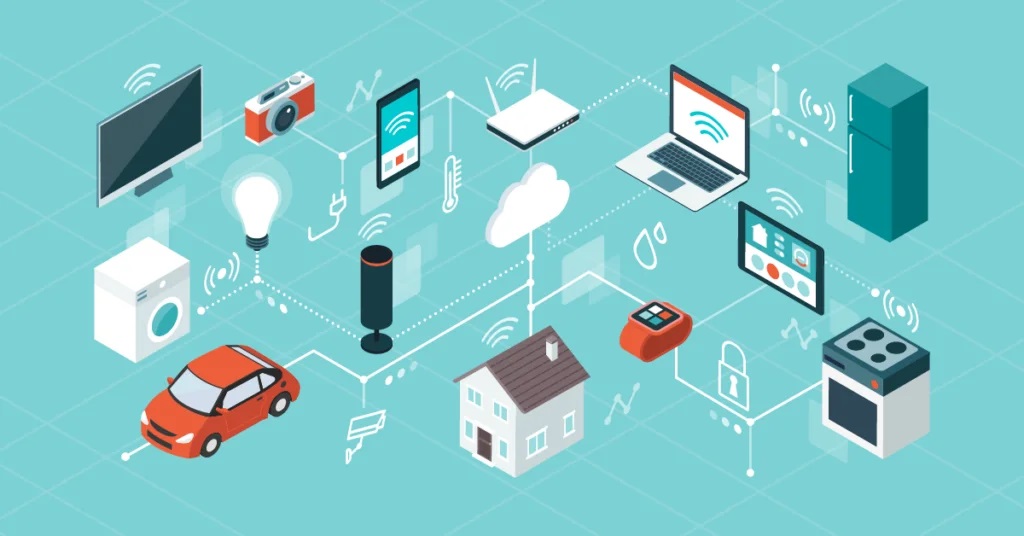
Developing IoT solutions can be complex and time-consuming, requiring expertise in programming and hardware integration. However, visual programming tools have emerged as a game-changer, simplifying and automating the development process. These tools allow users to create IoT applications using a graphical interface, eliminating the need for extensive coding knowledge. In this blog, we will explore the benefits and functionalities of visual programming tools for IoT solutions. From drag-and-drop interfaces to code generation, we will delve into how these tools automate and simplify the development process, enabling organizations to create innovative IoT solutions with ease.
Understanding Visual Programming Tools for IoT
- Overview
Visual programming tools provide a visual interface that allows users to build IoT applications by connecting blocks or components. These blocks represent different functionalities, such as data collection, processing, and visualization, which can be easily dragged and dropped onto a canvas.
- Drag-and-Drop Functionality
Visual programming tools offer a drag-and-drop functionality, enabling users to intuitively build IoT applications by selecting and placing components on the canvas. This eliminates the need for manual coding and accelerates the development process.
- Code Generation
Behind the scenes, visual programming tools generate the necessary code based on the user’s configuration. This code generation automates the translation of visual components into actual program code, allowing for seamless execution of the IoT application.
Benefits of Visual Programming Tools for IoT Development
- Simplified Development Process
Visual programming tools simplify the development process by abstracting complex programming concepts. Users can focus on the logic and flow of their IoT application without worrying about low-level coding details, making it accessible to individuals with varying levels of technical expertise.
- Accelerated Development Time
With drag-and-drop interfaces and code generation, visual programming tools significantly reduce the time required for developing IoT solutions. By eliminating manual coding and streamlining the development process, organizations can bring their IoT solutions to market faster and stay ahead of the competition.
- Increased Collaboration
Visual programming tools promote collaboration between developers, domain experts, and stakeholders. The graphical representation of the IoT application allows for better communication and understanding, enabling cross-functional teams to work together more effectively.
- Flexibility and Scalability
Visual programming tools offer flexibility and scalability, allowing users to modify and extend their IoT applications easily. By adding or rearranging components on the canvas, organizations can adapt their solutions to evolving requirements and scale their IoT initiatives as needed
Functionalities of Visual Programming Tools for IoT
- Data Integration and Device Connectivity
Visual programming tools enable seamless integration with IoT platform and devices. They provide connectors and APIs to connect to various data sources and IoT devices, allowing for easy data ingestion and device communication.
- Data Processing and Analytics
Visual programming tools offer built-in capabilities for data processing, transformation, and analytics. Users can configure components for data filtering, aggregation, and analysis, enabling real-time insights and decision-making based on IoT data.
- Visualization and User Interface Design
Visual programming tools provide intuitive features for designing user interfaces and data visualization dashboards. Users can customize the look and feel of their IoT applications, creating visually appealing and interactive interfaces for end-users.
Considerations for Choosing Visual Programming Tools
- Ease of Use and Learning Curve
Evaluate the ease of use and learning curve of visual programming tools. Look for platforms with intuitive interfaces and comprehensive documentation or tutorials that support users in quickly understanding and utilizing the tool’s capabilities.
- Compatibility and Integration
Consider the compatibility and integration options of visual programming tools with IoT platforms and devices. Ensure that the tools support the protocols and interfaces required for seamless connectivity and data exchange with your chosen IoT ecosystem.
- Customization and Extensibility
Assess the customization and extensibility options of visual programming tools. Look for platforms that allow users to add custom components or integrate with external libraries, enabling tailored functionality and meeting specific IoT application requirements.
- Community and Support
Consider the availability of a vibrant user community and support resources for the chosen visual programming tool. A strong community can provide valuable insights, troubleshooting assistance, and opportunities for knowledge sharing.
Conclusion
Visual programming tools have revolutionized IoT development by simplifying and automating the process. With drag-and-drop interfaces, code generation, and a range of functionalities, these tools empower organizations to create innovative IoT solutions with ease. By leveraging visual programming tools, businesses can accelerate their development time, increase collaboration, and bring their IoT applications to market faster. Whether you are a seasoned developer or a non-technical enthusiast, visual programming tools provide an accessible and efficient way to unlock the full potential of IoT solutions.
FAQs
Q1: Do visual programming tools limit the flexibility of IoT development?
A1: Visual programming tools offer a balance between simplicity and flexibility. While they abstract low-level coding details, they still provide customization options and extensibility through custom components or integration with external libraries. This allows users to tailor their IoT applications to specific requirements.
Q2: Can visual programming tools be used for complex IoT applications?
A2: Yes, visual programming tools can be used for complex IoT applications. While they excel in simplifying development, they often provide advanced features for data processing, analytics, and integration with various IoT platforms and devices. This makes them suitable for a wide range of IoT use cases, including complex scenarios.
Q3: Are there limitations to visual programming tools?
A3: Visual programming tools may have limitations in terms of the specific functionalities or integrations they support. Some tools may not cater to highly specialized or niche use cases, requiring custom coding or a different development approach. It’s important to evaluate the capabilities of the tool and ensure it aligns with your specific requirements.
Q4: Can visual programming tools be used by non-technical users?
A4: Yes, visual programming tools are designed to be accessible to individuals with varying levels of technical expertise. Non-technical users can leverage these tools to create IoT applications without extensive programming knowledge. However, familiarity with IoT concepts and basic understanding of data flow and logic are beneficial for optimal utilization.
Q5: Are there any limitations to the scalability of visual programming tools?
A5: The scalability of visual programming tools can depend on various factors, including the tool’s architecture, underlying infrastructure, and the complexity of the IoT application. Some visual programming tools are specifically designed for scalability and can handle large-scale IoT deployments, while others may have limitations in terms of performance and scalability. It’s essential to evaluate the scalability requirements of your IoT solution and choose a tool accordingly.
